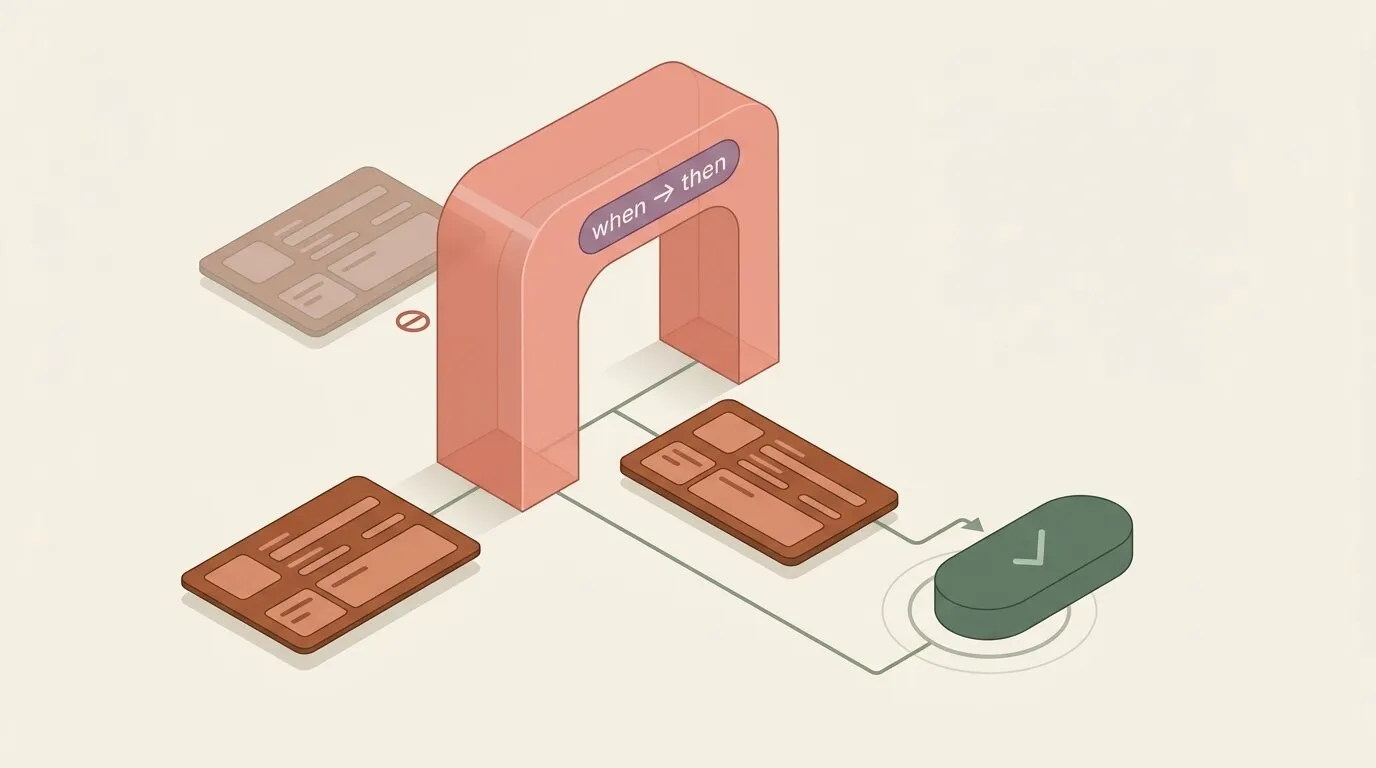
A flexible schema solves how fast a team can model something. It says nothing about whether the records in it are any good. Nothing stops a support ticket from closing without a resolution note, an incident from being marked resolved with no explanation of what happened, or a status field jumping from “Draft” straight to “Shipped” with every approval step skipped in between. Every team building on a schema-flexible workspace eventually hits this gap, and mature record systems have already converged on the same answer: Salesforce ships Validation Rules and Quick Actions, Dynamics 365 ships Business Rules, Jira ships validators and transitions. Spreadsheet-first tools have no equivalent primitive at all — a cell will hold whatever you type into it.
Omnismith now closes that gap natively, with two primitives available on every template: Rules, which say what a valid record looks like, and Actions, the one guided, named way to change one.
What this changes day to day
Before this, keeping a workspace’s data honest meant one of two things: a client-side form doing the validating (and a REST call, a CSV import, or an AI agent skipping right past it), or an operator editing a status field by hand with nothing telling them which values are legal from where the record currently stands. Neither scales past the first person who finds the shortcut.
With Rules and Actions in place:
- A record can’t reach a state its template disallows. The check runs once, on the template, and applies everywhere — the entity form, the REST API, a CSV import, a bulk update, and any AI agent calling the API directly. There’s no second path that skips it.
- Changing a record’s state is a named button, not a field edit. “Approve”, “Resolve”, “Archive” show up as an explicit, guided action with only the fields that specific transition needs — not the entire record form.
- A blueprint installed from the marketplace now arrives with its own guardrails and buttons already wired in. A team scaffolding an incident tracker, a deal pipeline, or a claims queue gets working validation and guided actions on day one, not after a sprint spent building them by hand.
- An AI agent gets a menu, not a blank slate. An agent working a record calls one endpoint to see exactly which named operations are available on it right now, and executes one by name — instead of guessing at a raw field update and hoping it doesn’t violate a constraint it can’t see.
Rules: when this holds, then that must too
A Rule is a plain when → then statement: when a set of conditions holds against the record’s current values, then a set of constraints must also hold, or the write is refused. A rule with no when at all is how an ordinary required field is expressed — there’s no separate “required” flag hiding a second code path; it’s a rule whose condition is unconditionally true.
Rules are checked synchronously, before the write lands, on every path that can produce one: the entity form, POST/PATCH/PUT on a record, a bulk write, CSV import, and every AI agent tool built on those same endpoints. A violation comes back as a 422, with the exact attribute and the reason named in the error — the same shape a required-field error already takes, so nothing downstream needs a special case for it.
Conditions and constraints share one small, structured operator set — there’s no formula language to learn:
| Operator | Meaning |
|---|---|
eq / neq | Equals / not equals |
gt / gte / lt / lte | Greater than / at least / less than / at most |
contains / not_contains | Substring match |
in | Is one of a set of values |
is_empty / is_not_empty | Field has no value / has a value |
Actions: the one guided way to change a record
An Action bundles three things into a single named operation: a precondition that gates whether it’s available at all, an ordered set of fields the operator (or agent) is asked to fill in, and presets the platform applies silently once it runs. Executing an action is one atomic write, checked against the same rules any other write goes through — a status transition is nothing more than a precondition on the current status plus a preset for the new one.
Calling it looks like this:
# Resolve an incident: precondition (status isn't already Resolved) is checked first,
# then "description" (the action's one required field) is validated,
# then the "Resolved" preset is applied — all as one write.
curl -X POST "https://api.omnismith.io/v1/entities/01a0f21c-889f-7d3a-9c02-4b1e6a7f3b10/actions/resolve_incident" \
  -H "Authorization: Bearer omni_live_secret_key_..." \
  -H "X-Omnismith-Project-Id: $PROJECT_ID" \
  -H "Content-Type: application/json" \
  -d '{
    "values": {
      "description": "Restarted the affected service; root cause was a stale connection pool."
    }
  }'
Two distinct failure modes come back with two distinct status codes, both machine-readable enough for a script or an agent to react to directly:
409— the precondition doesn’t hold (someone already resolved it, or it was never opened). The response says which attribute and why.422— a required field was left empty, a submitted value doesn’t fit its type, or the write would violate a rule. Named the same way a rule violation is:attributes.<slug>.
A concrete example: closing out an incident
The Server Monitoring blueprint’s Incident template puts Rules and Actions to work on the same field. Its incident_status list attribute moves through Open → Investigating → Resolved:
- An incident opens with
incident_status = Open. No rule applies yet — there’s nothing to check on creation. start_investigationis available only while status isOpen. It has no fields of its own — its only effect is a preset movingincident_statustoInvestigating.resolve_incidentis available whenever status isn’t alreadyResolved. It requires one field,description, hinted “What happened and what was done.”- The rule backstops the action. “Resolved incidents are documented” fires whenever
incident_statusequalsResolved, and requiresdescriptionto be non-empty. The action’s own required field already satisfies this in the normal case — the rule is what makes the guarantee hold everywhere else too, including a direct API write or an import that bypasses the action entirely.
Built for bulk operators and agents alike
The same action runs on a selection instead of one record — “resolve these forty stale incidents” is one call:
curl -X POST "https://api.omnismith.io/v1/entities/batch/actions/resolve_incident" \
  -H "Authorization: Bearer omni_live_secret_key_..." \
  -H "X-Omnismith-Project-Id: $PROJECT_ID" \
  -H "Content-Type: application/json" \
  -d '{
    "entity_ids": ["01a0f21c-889f-7d3a-9c02-4b1e6a7f3b10", "01a0f21c-889f-7d3a-9c02-4b1e6a7f3b11"],
    "values": { "description": "Closed in bulk after the upstream provider confirmed resolution." }
  }'
At most 100 records per call, with a per-record outcome — executed, precondition_failed, rule_violated, or failed — so a partial batch reports exactly which records didn’t go through and why, without losing the ones that did.
Three MCP tools expose the same primitive to an AI agent: list_entity_actions shows what’s available on a record right now and why, execute_entity_action runs one, and batch_execute_entity_action runs one across a selection. An agent working a record through MCP checks this list before falling back to a raw field update — it’s a safer, more explicit way to express the same intent, and it fails with a specific, correctable reason instead of a silent inconsistency.
Reacts into automations
An automation can trigger on a specific action running, not just on a raw field change — useful for notifying a channel whenever, say, resolve_incident completes, regardless of who or what ran it. Pairs naturally with the event-driven automation and notification setup already covered in this series: the trigger type is new, the notification channels and message templating underneath it are the same ones already in place.
Shipped inside blueprints, not bolted on after
A marketplace blueprint now packages its Rules and Actions alongside its schema, the same way it already packages templates and attributes. Installing the Server Monitoring blueprint doesn’t just create an Incident template with an incident_status field — it installs start_investigation, resolve_incident, and the rule that backstops them, already wired to that template. A team is operational against a validated, guided workflow immediately, not after a follow-up pass to add the guardrails a bare schema doesn’t come with.
One honest limitation
A rule that checks two fields together assumes both values arrived in the same write. If two separate updates to the same record land within the same fraction of a second, each can independently satisfy the rule before the other is visible yet — so the pair can briefly slip through in combination, even though neither write violated the rule on its own. The window is sub-second and closes on the very next read or write to that record; it doesn’t apply at all to a single write carrying both values in one payload, which is checked immediately and exactly as described above.
Rules and Actions don’t add a workflow engine sitting on top of the schema — they make “what’s valid” and “how do I change it” first-class, declarative properties of the template itself, enforced identically for a human in the form, a script hitting the API, and an agent calling an MCP tool. A blueprint that ships them pre-wired is the difference between a team that models a domain and a team that’s actually ready to run it.